Build in code a high-security vehicle clearance system across Abu Dhabi's oil and gas sites
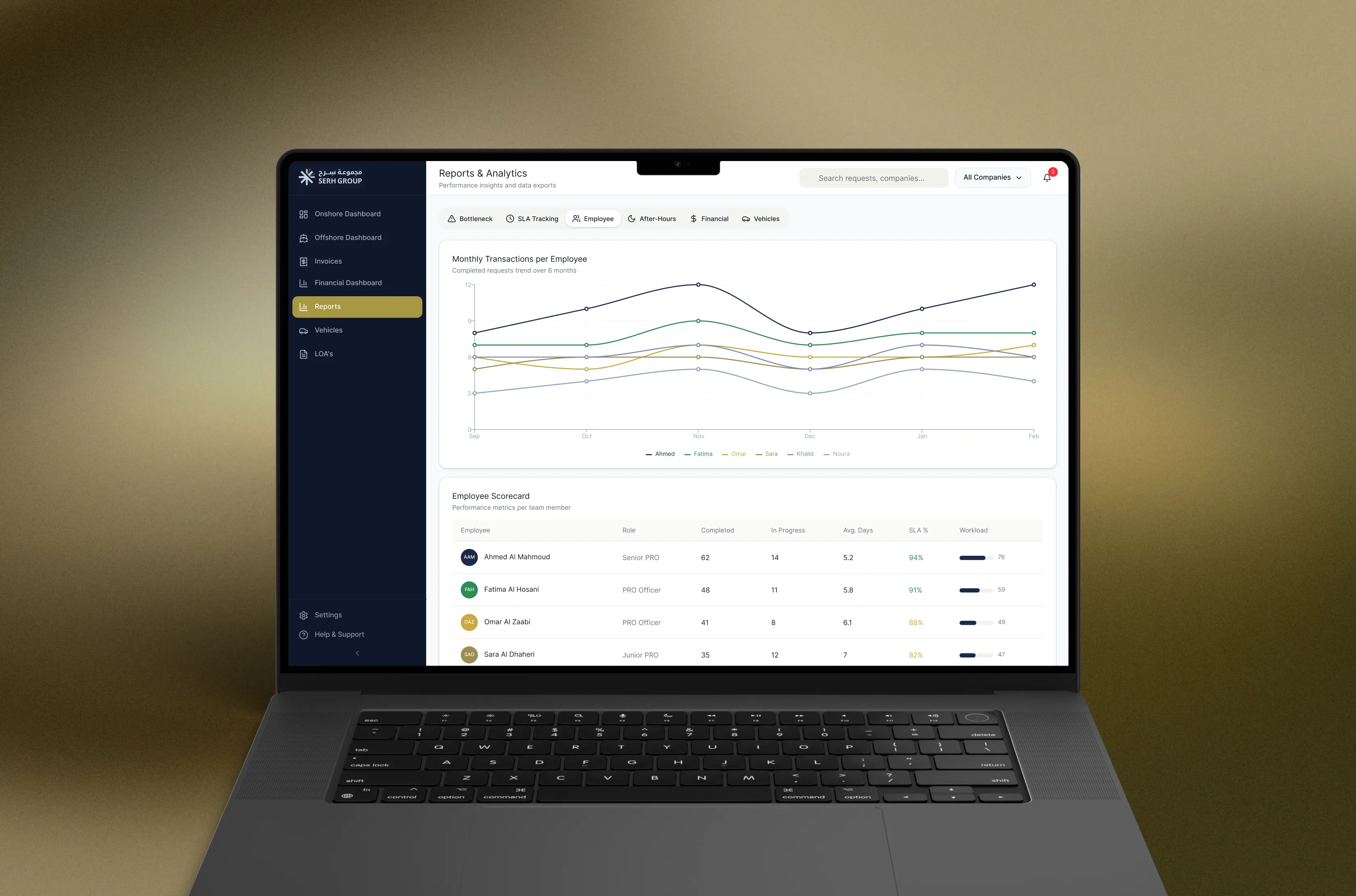
Al Warra issues the No Objection Certificates that let vehicles move in and out of oil and gas sites across Abu Dhabi. Every certificate is checked against SAP, verified through Abu Dhabi Police and National Guard for onshore movement, or validated through a CICPA barcode for offshore movement, before a vehicle is cleared. Serh Group brought me in through Kellton to design the digital portal for this process, an old, entirely manual system running across seven roles and a compliance chain that couldn't afford ambiguity.
Seven roles, one twelve-stage lifecycle. Admin, Finance, NOC Officer, Controller, Head of Al Warra, PRO and Client each needed a different view of the same request, moving through twelve stages from Draft to Completed, with every step logged against a Delegation of Authority matrix and pushed to SAP. The challenge was representing that one lifecycle accurately from seven different angles, without any role losing track of where a request actually stood.
Preparation before a single prompt. Before generating anything, I fed Figma Make the client's actual brand identity. Skipping that step means fighting a generic look through the whole project, so it came first, before research, before structure, before anything else.
Research synthesis next. I fed the scope document, and a scattered Q&A log full of contradictions into Claude and Gemini Notebook, to pull out the actual business rules buried inside them, who approves what, where onshore and offshore logic diverge, what the client kept circling back to as a priority. This is where the seven roles and the twelve-stage lifecycle actually got defined, before a single screen existed.
General structure before any single flow. In Figma Make, I built the shell first, navigation, role-based dashboards, the shared component set, cards, status chips, tables, before designing any individual journey in detail. This gave every flow that came after it a consistent frame to sit inside, instead of assembling a system out of screens that were each designed in isolation.
Then flow by flow, generated as working code. With the structure in place, I worked through each major journey on its own, client and PRO registration, LOA and request creation, pricing and quotation, financial and SAP handoff, NOC approval and issuance, generating each as real, functioning code in Figma Make rather than static frames. Building sequentially like this meant each flow could be checked against the shared structure as it went, and clicked through as something that actually behaved, instead of reconciling seven flows against each other at the end.
Edge cases and fine-tuning last. Once the flows worked end to end, I went back through them with AI to pressure test the logic, what happens if a PRO cancels after payment but before NOC issuance, what happens with two owners and one power of attorney, and used that same pass to tighten visual details, spacing, copy, empty states. Testing edge cases against working screens, not static mockups, caught things a testing pass earlier in the process never would have.
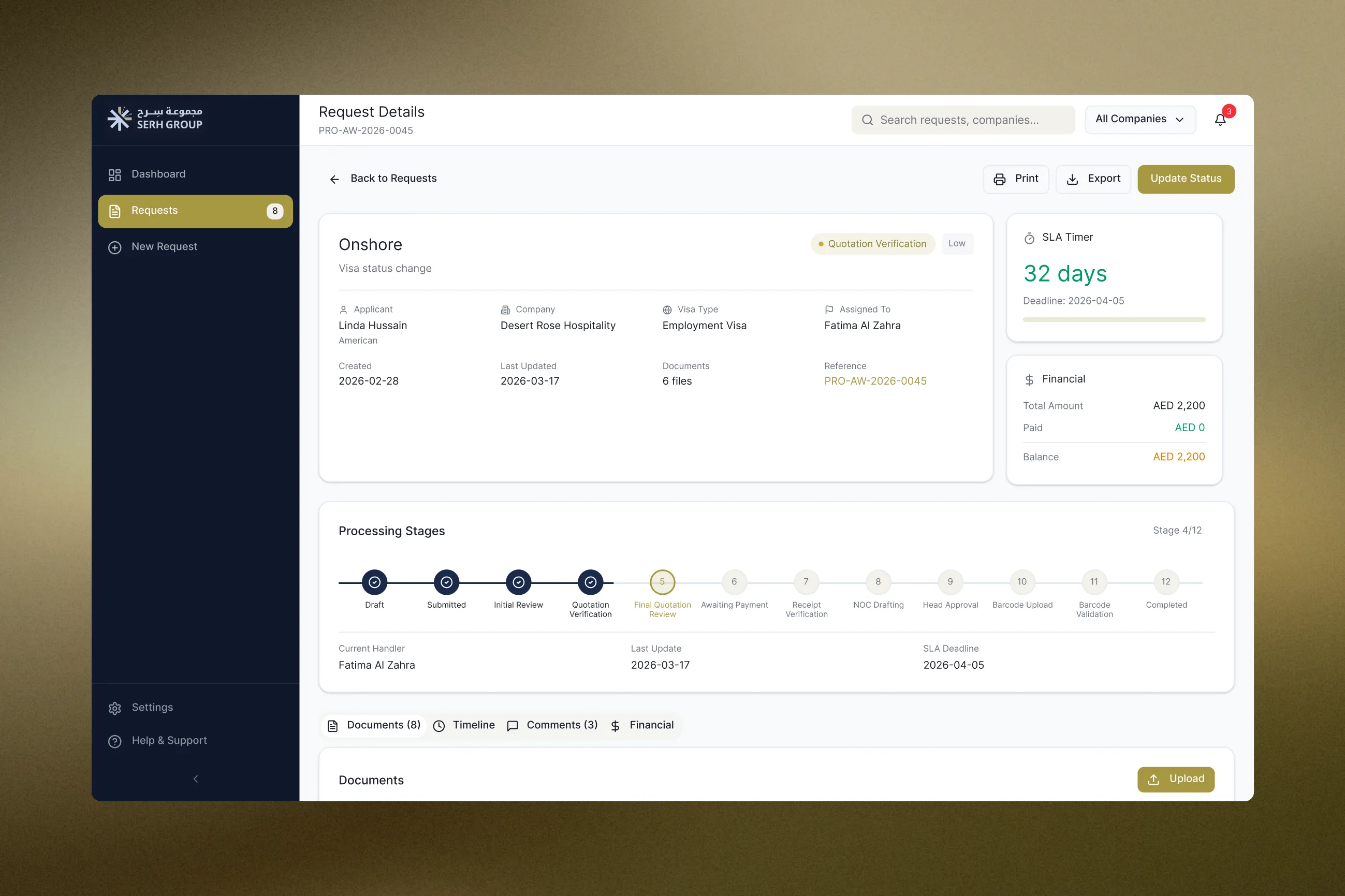
One lifecycle, shown two different ways
The same twelve stages appear as a stepper on a single Request Details page, for tracking one case, and as a row of circular counters on the Onshore Dashboard, for scanning where hundreds of requests are piling up. Same model, shaped for who's looking.
Status color as a code that never changes meaning
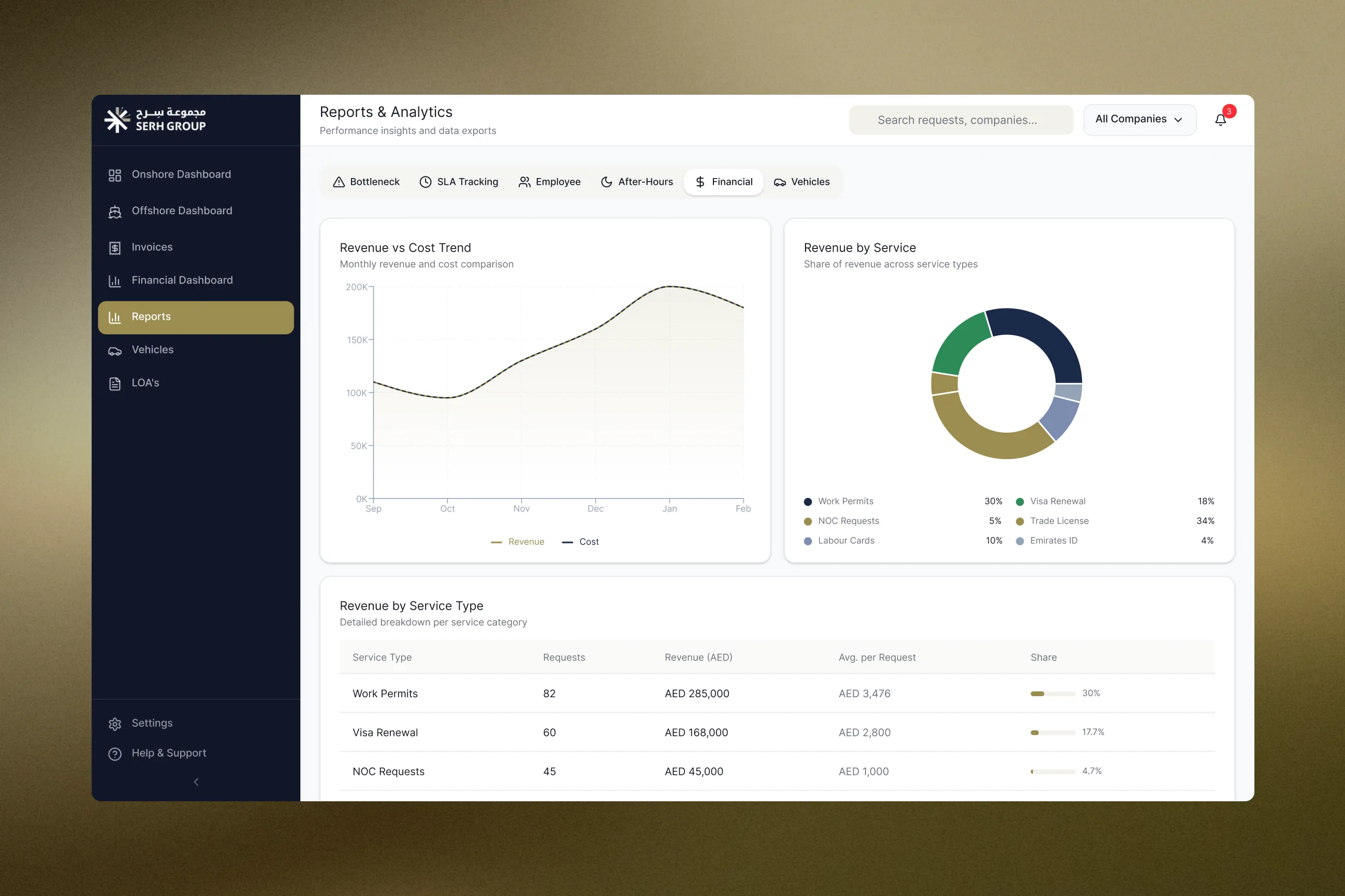
Green, amber and red repeat identically across KPI cards, tables, the SLA timer and the delay severity column in Reports, so the signal reads the same no matter which of the seven roles is looking at it.
A request wizard that can't be submitted incomplete
New Request runs as four locked steps ending in an explicit confirmation checkbox, since what gets submitted here feeds a compliance chain that can't easily absorb an error.
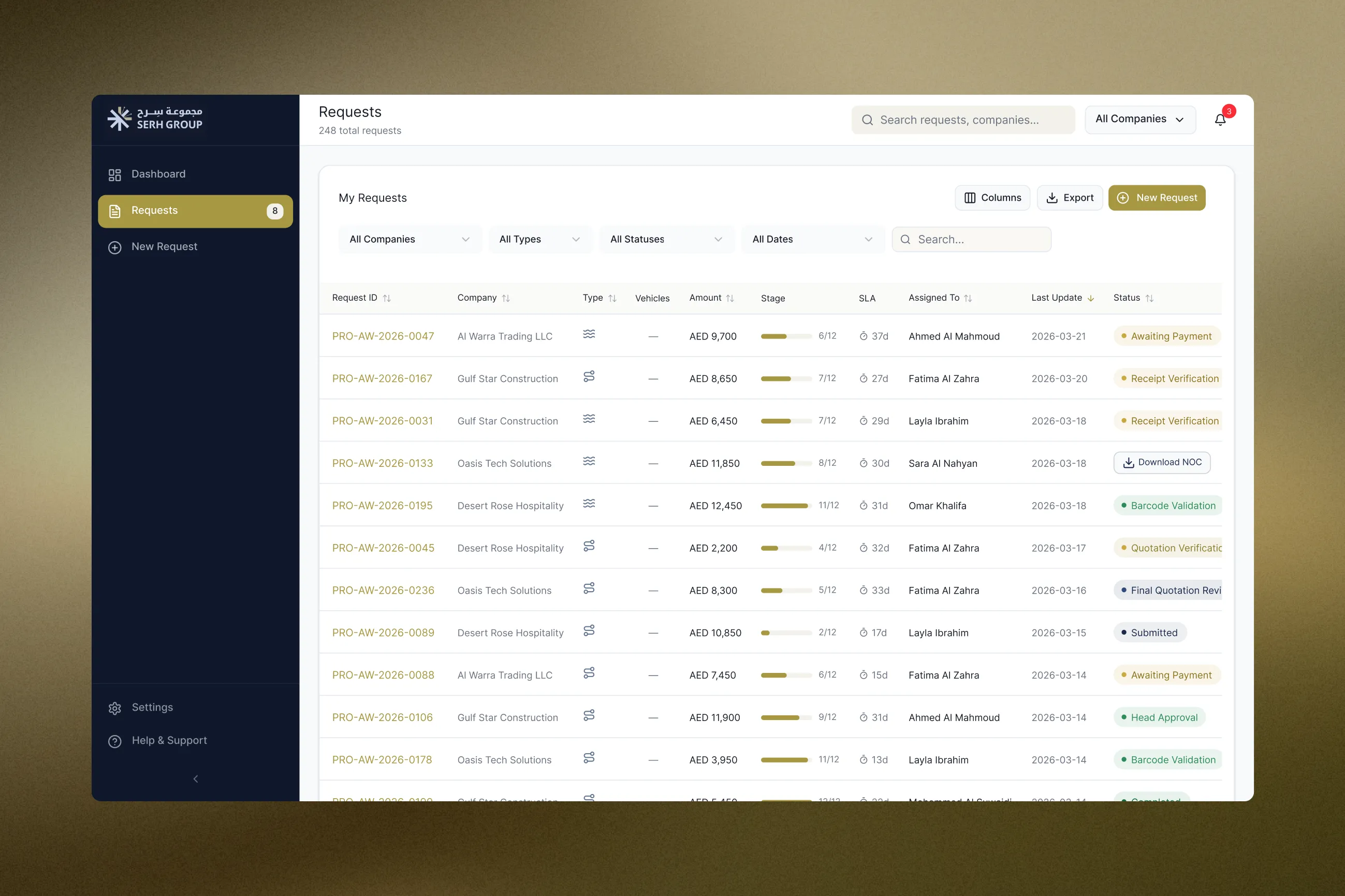
The design translated a fragmented, entirely manual process spread across seven roles into one coherent system with a repeatable visual language, one stakeholders could click through and trust the logic of before development began.
AI changes where a designer's effort goes, not how much judgment it takes. The heaviest thinking on this project happened before a single screen existed, synthesizing messy source material and hunting for the logic gaps that would have broken the system later. AI made that stage faster, it didn't make it optional. What changed was the ratio, less time spent manually parsing documentation, more time spent actually reasoning about the business, and reasoning I could then verify by clicking through real, working screens instead of static ones.